STone 2c.pCO / pCO5+Apache 2.0 Prototype

xAuth: one-time codes instead of a shared service password on CAREL STone controllers

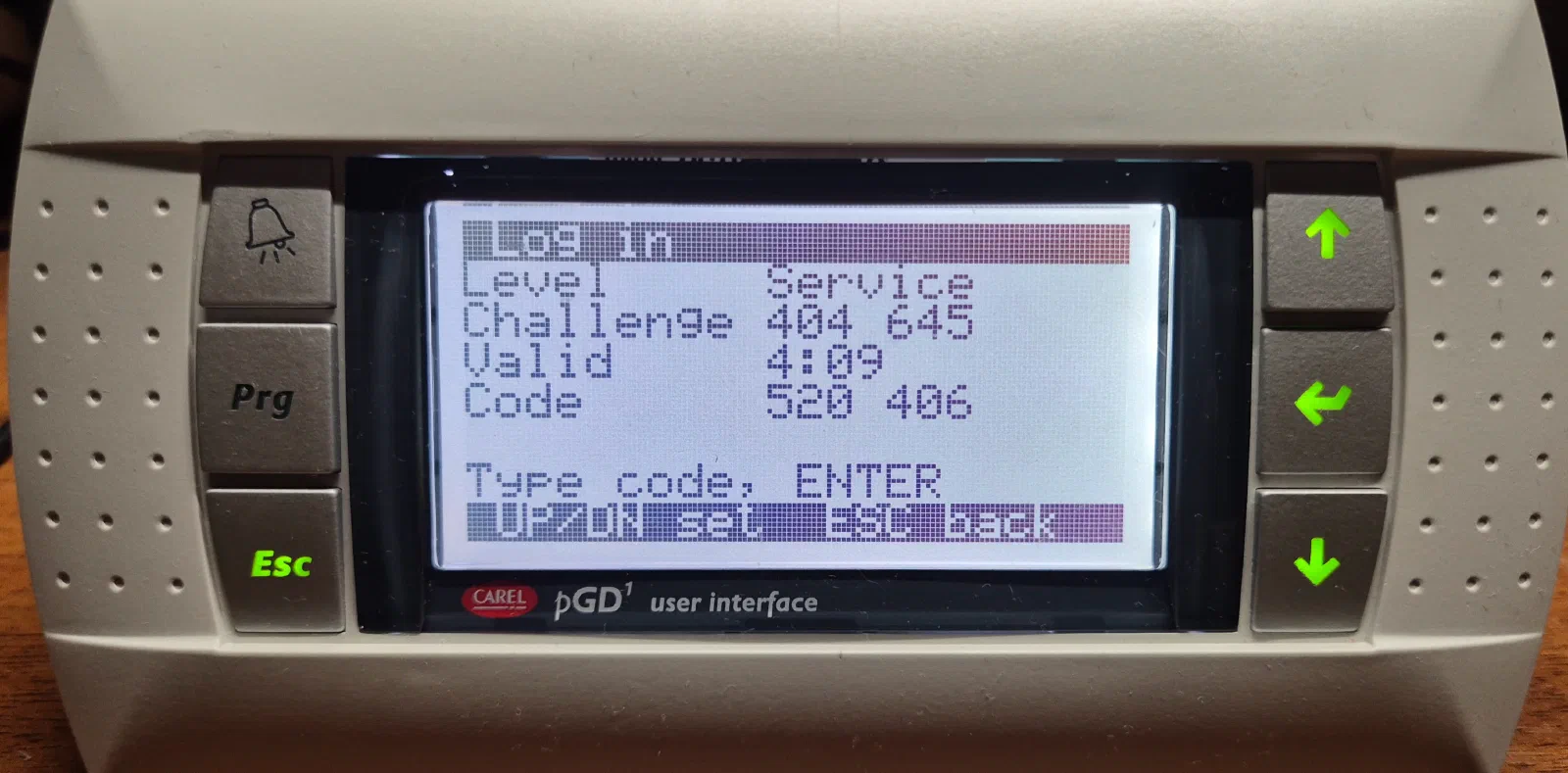
The controller shows a six-digit challenge on the pGD1 terminal. The technician enters it on a phone and gets an access code from the company server. The code works on that controller only, and only once. The server logs who got access and when, and the controller stays offline the whole time.

Prototype. xAuth has been tested on c.pCO mini and pCO5+ HS controllers, but it has not had an independent security audit yet. Read the limits and residual risks before you use it in a product.

xAuth LOGINLevel 2 ServiceChallenge481 773Code205 118_pGD1 · c.pCO (offline)2 · 481773205118xAuth/techCode205 118audit

The problem xAuth solves

In many companies, thousands of controllers are protected by the same service password. It was set years ago, it is printed in the manuals, and every technician knows it, including those who left the company long ago. When someone changes a controller’s settings, there is no way to find out who did it.

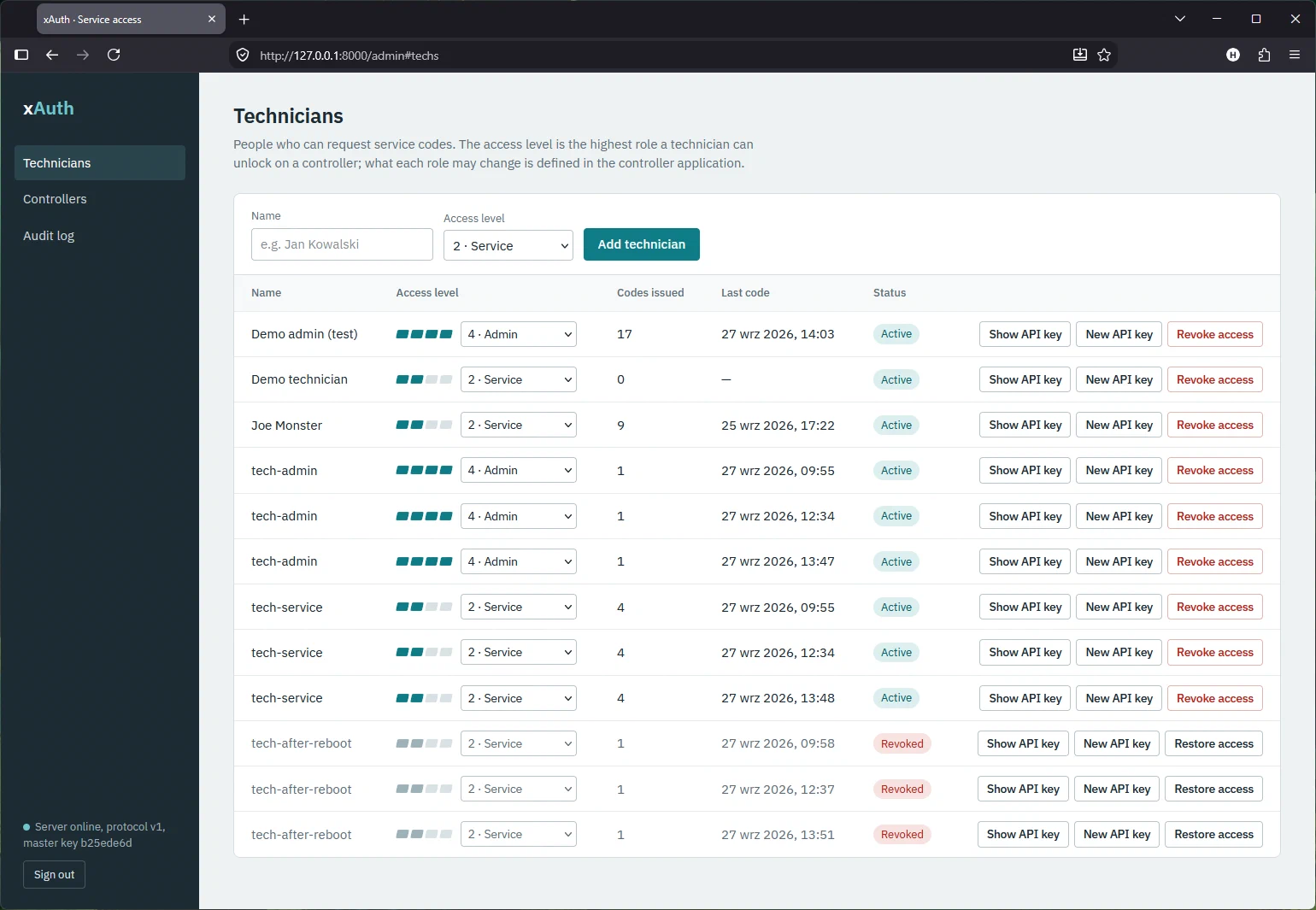
xAuth replaces the shared password with a one-time code. The code works on one controller, at one access level, and for one login attempt. It is issued by a server that runs in your company, and the server logs who received the code and for which controller. Technicians do not know any permanent password. When someone leaves the company, you revoke their access in the admin panel, and nobody has to visit the controllers.

The Cyber Resilience Act (Regulation (EU) 2024/2847) is another reason. Under its requirements, a product in which every device has the same, never-changing password is hard to defend. xAuth helps in one area of those requirements: access control and the logging of logins. It does not make the whole product CRA-compliant.

How it works

  1. 1

    The controller shows a challenge

    The technician selects an access level on the pGD1 terminal, for example 2 (Service). The controller shows a six-digit challenge, for example 481 773. The challenge is computed from the key stored in the controller, so it cannot be predicted.

  2. 2

    The technician sends the challenge to the server

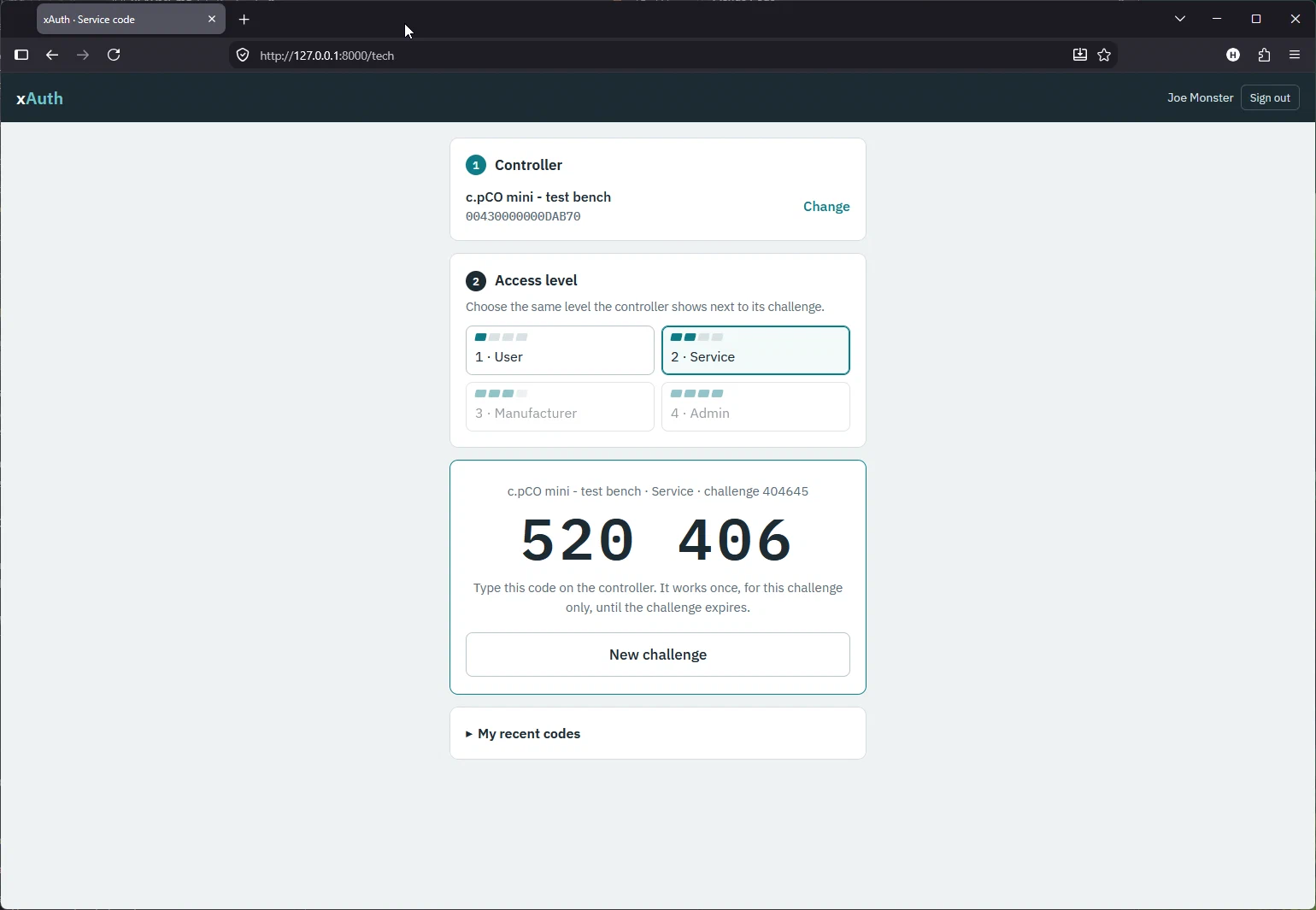
    In the technician panel, opened in the phone’s browser, the technician selects the controller and the access level and enters the challenge. The server checks that the technician is allowed to use that level.

  3. 3

    The server issues an access code

    The server computes a six-digit access code and shows it to the technician. At the same time it writes to the audit log who received the code, for which controller and level, and when.

  4. 4

    The controller unlocks access

    The technician enters the access code on the terminal. If the code is correct, the controller unlocks the selected level and records the event in its own log. Each challenge allows one attempt, and after ten wrong codes the controller locks the login.

Features

01

Works offline

The controller needs no network connection and no correctly set clock. It measures time with a monotonic clock, not with the real-time clock (RTC), which anyone can change. Only the technician’s phone needs network access.

02

A separate key for each controller

The controller key is derived from the company master key and the unique ID of the device. The server does not store controller keys. It computes them when they are needed. A key can be replaced, and once the new key is loaded, codes issued for the old one stop working.

03

A lock that survives a reboot

After ten wrong codes the controller locks the login for 15 minutes. Each further lock lasts twice as long, up to 24 hours. The lock state is stored in non-volatile memory, so switching the power off does not remove it.

04

Ready-made screens for the pGD1 terminal

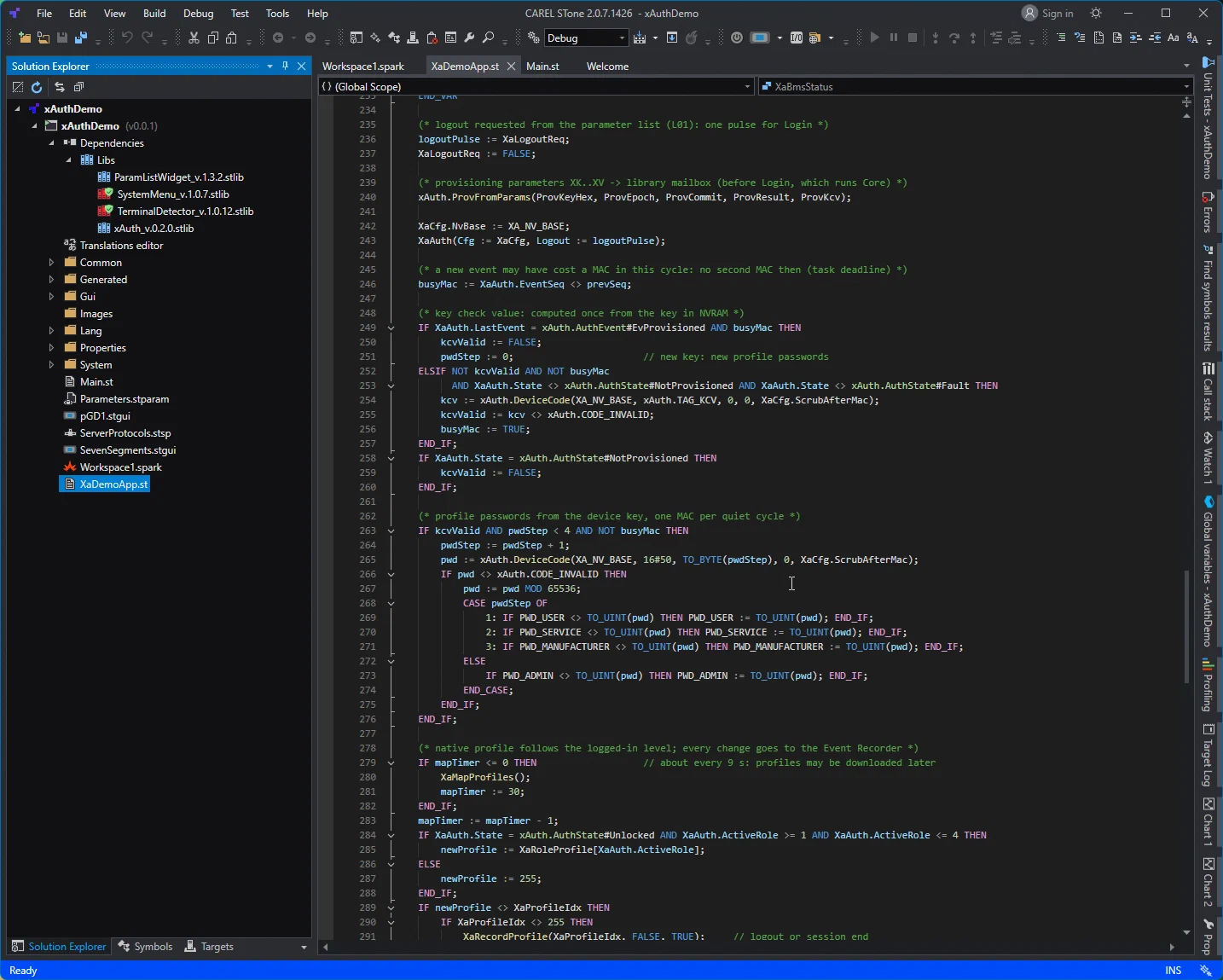
The library includes a login screen (LoginWidget) and a screen for entering the key on the keypad (KeyEntryWidget). You only place them on a terminal mask. The demo application shows how to link the access levels to native STone profiles.

05

A complete audit trail

The server logs every issued code with the technician’s name and the time. The controller records its own events and numbers them in sequence. The two logs can be matched by the challenge, so the access history is complete even when the controller clock shows the wrong time. The login status can be passed to a BMS over Modbus or BACnet.

06

A server for the whole fleet

The xAuth server runs in Docker. It includes an admin panel and a technician panel designed for phones. You can manage technicians and their permissions, import and export the controller list as CSV, replace keys, browse the audit log and make an encrypted backup of the master key.

Screenshots

How the protocol works

The controller and the server do the same calculation. They use the HMAC-SHA256 function and shorten its result to six digits with the method known from one-time passwords (RFC 4226 and RFC 6238). Both implementations are checked against the same set of test vectors.

K_dev        = HMAC-SHA256(K_master, "xAuth-v1-dev" || DevID || Epoch)
challenge    = DT6( HMAC-SHA256(K_dev, 'C' || level || counter) )    controller
access code  = DT6( HMAC-SHA256(K_dev, 'R' || level || challenge) )  server
  • DevID is the unique ID of the controller, written as 16 hexadecimal characters, for example 0123456789ABCDEF. It is not secret.
  • K_master is the company master key. It exists only on the server.
  • K_dev is the controller key. It is stored only in the controller’s NVRAM, and the library removes it from working memory after each calculation.
  • Epoch is the version number of the key. It increases each time the key is replaced.
  • The counter is increased and saved before each challenge is generated, so the input of the calculation never repeats.
  • The level is part of both calculations, so a code issued for level 2 does not unlock level 3.

One HMAC calculation takes about 30 ms on a pCO5+ HS controller and about 33 ms on a c.pCO mini. For this reason, call the library in a task with an interval of at least 100 ms.

Access levels

LevelValueTypical use
User1end user, operator
Service2service technician
Manufacturer3manufacturer’s engineering department
Admin4production, full access

You define the permissions of each level in your application with native STone profiles.

Default controller settings

RuleDefault valueParameter
Attempts for one challenge1none
Validity of a challenge300 sChallengeTtlS
Wrong codes before the lock10MaxFailures
Lock time900 s, doubled with each further lock, up to 24 hLockTimeS, LockDoubling, LockMaxS
Session time after login3600 sSessionTimeoutS

If the controller is restarted during a lock, the lock starts again and lasts its full time. The controller does not trust the clock, so it cannot know how much time has passed. If the stored state is damaged, the controller stays locked.

At start-up the library disables the CAREL passepartout password. If the connection password or the binary password is not set in the controller, the library reports it on the SecWarnings output.

Loading the key into a controller

Each controller gets its key before first use, usually at the end of the production line or during commissioning. The key has 64 hexadecimal characters. You get it from the admin panel together with its check value, the KCV. After the key is loaded, the controller shows its own KCV. If the two values are the same, the controller holds the right key. The controller never shows the key itself.

MethodToolUse
SToneWatch windowdevelopment, laboratory
SparklySparkly.exe parameters writeend of the production line, service laptop
pGD1 keypadKeyEntryWidgetfield work without a computer; only when the controller has no key yet or when an Admin is logged in

By design, the key cannot be loaded over Modbus or BACnet. Do not expose the key-loading parameters to a BMS and do not add them to profiles.

Quick start

Controller (STone 2)

  1. Attach the xAuth_v.0.2.0.stlib library to your project (Dependencies › Libs) and add the declaration USING Libs.xAuth;.
  2. Call an instance of the xAuth.Login block in a task with an interval of at least 100 ms.
  3. Place the Libs.xAuth_v0_2_0.xAuth.LoginWidget widget on an empty pGD1 terminal mask. If you want to load the key from the keypad, add KeyEntryWidget as well.
  4. Load the controller key and compare the KCV values.
USING Libs.xAuth;

VAR_GLOBAL
    XaAuth : xAuth.Login;
    XaCfg  : xAuth.Config := (MaxFailures := 10, LockTimeS := 900, LockDoubling := TRUE,
                              LockMaxS := 86400, ChallengeTtlS := 300, SessionTimeoutS := 3600);
END_VAR

(* cyclic task, interval >= 100 ms *)
xAuth.ProvFromParams(ProvKeyHex, ProvEpoch, ProvCommit, ProvResult, ProvKcv);
XaAuth(Cfg := XaCfg, Logout := logoutPulse);

IF XaAuth.State = xAuth.AuthState#Unlocked THEN
    (* XaAuth.ActiveRole: 1 User, 2 Service, 3 Manufacturer, 4 Admin *)
END_IF;

You will find a complete example in the demo application.

Server (Docker)

Run the commands in the backend folder of the unpacked package. On Windows, docker compose build does not need BuildKit.

export XAUTH_ADMIN_TOKEN=$(python -c "import secrets;print(secrets.token_urlsafe(24))")
docker compose build
docker compose run --rm xauth xauth-admin key generate                        # once
docker compose run --rm xauth xauth-admin key export > master-key-backup.txt  # keep away from the server
docker compose up -d

After start-up the admin panel is available at http://127.0.0.1:8000/admin and the technician panel at /tech. Your own service app can get access codes through the REST API:

POST /api/v1/codes
X-API-Key: <technician API key>

{"device_id": "0123456789ABCDEF", "role": 2, "challenge": "481773"}
AreaEndpoints
TechniciansGET/POST /api/v1/technicians, change of level, revoking access, new API key
ControllersGET/POST /api/v1/devices, /provision, /rotate, CSV import and export
Audit logGET /api/v1/audit, CSV export
Access codesPOST /api/v1/codes (technician)

The full API description, the commands of the xauth-admin tool and the backup and restore procedure are in the README.md file of the server package.

Requirements

  • Controller: a CAREL controller programmed in STone 2, version 2.0.7 or later, with a pGD1 terminal. The library has been tested on c.pCO mini (firmware 3.3.005) and pCO5+ HS controllers.
  • Controller settings: the connection password and the binary password set, encrypted download enabled, and a release build compiled without debug information.
  • Server: Docker and a proxy server with HTTPS.
Download

xAuth is available as three packages. Each one contains a README.md file with instructions.

STone library v0.2.0

The xAuth_v.0.2.0.stlib library for STone 2, with the documentation of the protocol and of key loading.

SHA-256 cff8489afb9375ad051d1bf5c8865d3d38796377011e4a260a618c2e3ceba0b9

Download · 31 kB

Demo application (c.pCO + pGD1) v0.2.0

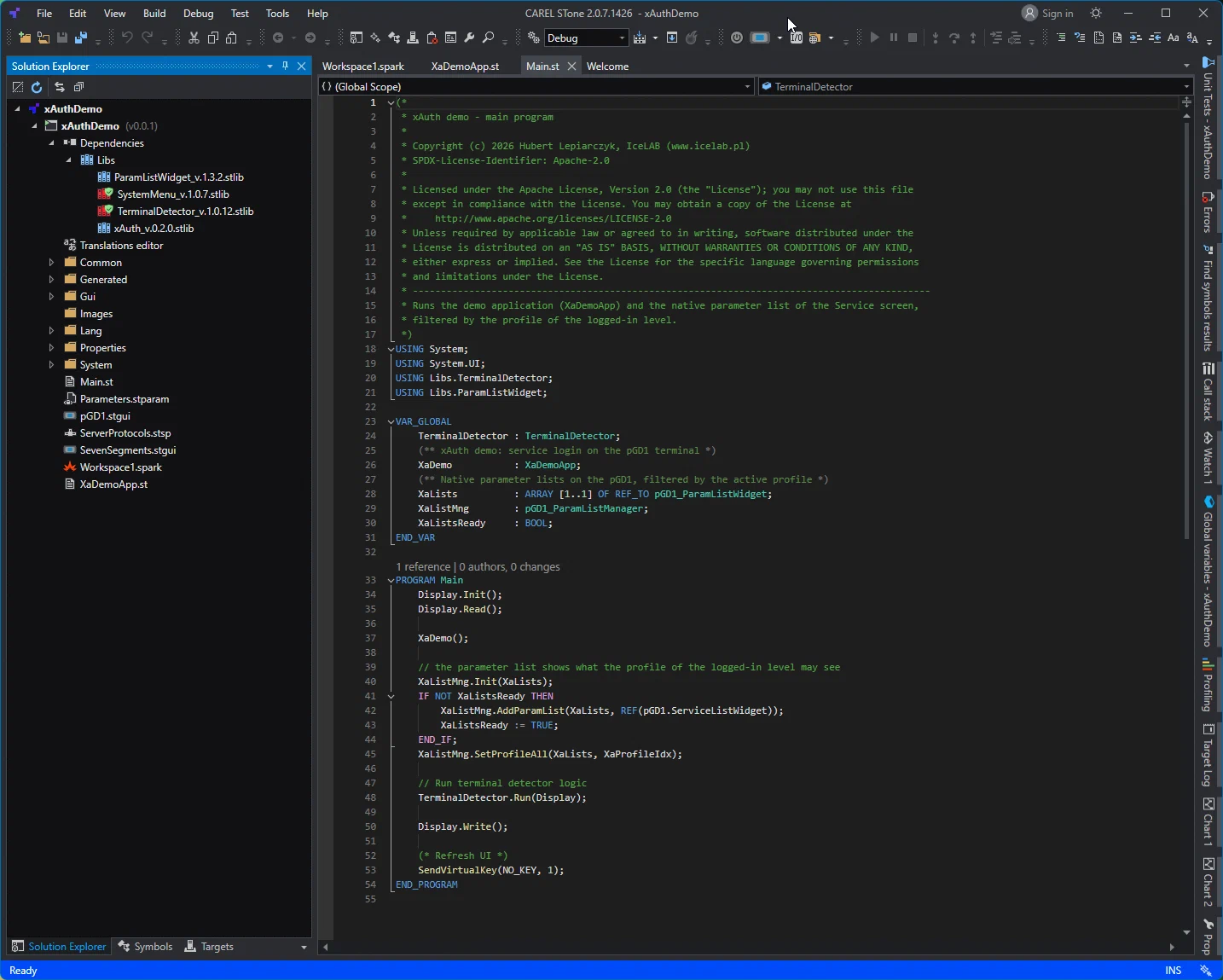
A complete STone project with the xAuth screens, profiles for the access levels, Event Recorder entries, a status block for a BMS and key loading through parameters. It includes the required CAREL libraries.

SHA-256 5fabe7054cea1d76235bc561b05c441c4d21ee73453a0f6996574f57f12398a6

Download · 118 kB

xAuth server (backend, Docker) v0.3.0

A Docker service built on FastAPI and SQLite: the admin panel /admin, the technician panel /tech, a REST API and the xauth-admin command-line tool.

SHA-256 6f95f4a1690a5a971527a347d997fc0a5871137fadcae1d9005efa173805bc5b

Download · 64 kB

The checksums are in SHA256SUMS.txt. xAuth is released under the Apache License 2.0 (NOTICE). The CAREL libraries included in the demo application (SystemMenu, TerminalDetector, ParamListWidget) are CAREL software and are subject to CAREL’s terms, not to the Apache License 2.0.

Limits and residual risks

Frequently asked questions

Which controllers does xAuth work on?

On CAREL controllers programmed in STone 2, version 2.0.7 or later, with a pGD1 terminal. The library has been tested on c.pCO mini (firmware 3.3.005) and pCO5+ HS controllers. The projects cannot be opened in STone 1.7, because that version does not display the UTF-8 font used on the xAuth screens correctly.

Can I use xAuth in my own STone application?

Yes. xAuth is a library in the .stlib format. You attach it to your project, call the xAuth.Login block in a cyclic task and place the LoginWidget on a pGD1 terminal mask. The demo application shows the other elements: profiles for the access levels, Event Recorder entries, a status block for a BMS and key loading through parameters.

What does a technician need to log in?

A phone with a browser and a personal API key from the administrator. In the technician panel the technician selects the controller and the access level, enters the challenge and gets the access code. No app has to be installed. If you have your own service app, it can get the codes through the REST API.

What should I do when a technician leaves the company?

Revoke their access in the admin panel. Their API key stops working immediately, and the history of their logins stays in the audit log. Nothing has to be changed in the controllers.

What happens if I lose the master key?

The keys must be loaded into all controllers again, because every controller key is derived from the master key. The server can export a backup of the master key encrypted with a passphrase (scrypt and AES-256-GCM). Keep it away from the server.

Does xAuth make my product compliant with the Cyber Resilience Act?

No. CRA compliance applies to the whole product. xAuth helps in one area of the requirements: it replaces shared default passwords with access control in which every login is logged.

Is xAuth ready for production use?

xAuth is a prototype. It has been tested on hardware, but it has not had an independent security audit. Read the limits, start with a pilot and include the residual risks in the risk assessment of your product.

How much does xAuth cost?

xAuth is free and open source under the Apache License 2.0. The CAREL libraries included in the demo application are subject to CAREL's terms.

xAuth: Hubert Lepiarczyk, IceLAB (www.icelab.pl). Apache License 2.0. CAREL, STone, c.pCO, pCO5+ and pGD1 are trademarks of CAREL Industries S.p.A. xAuth is an independent project and is not affiliated with CAREL.